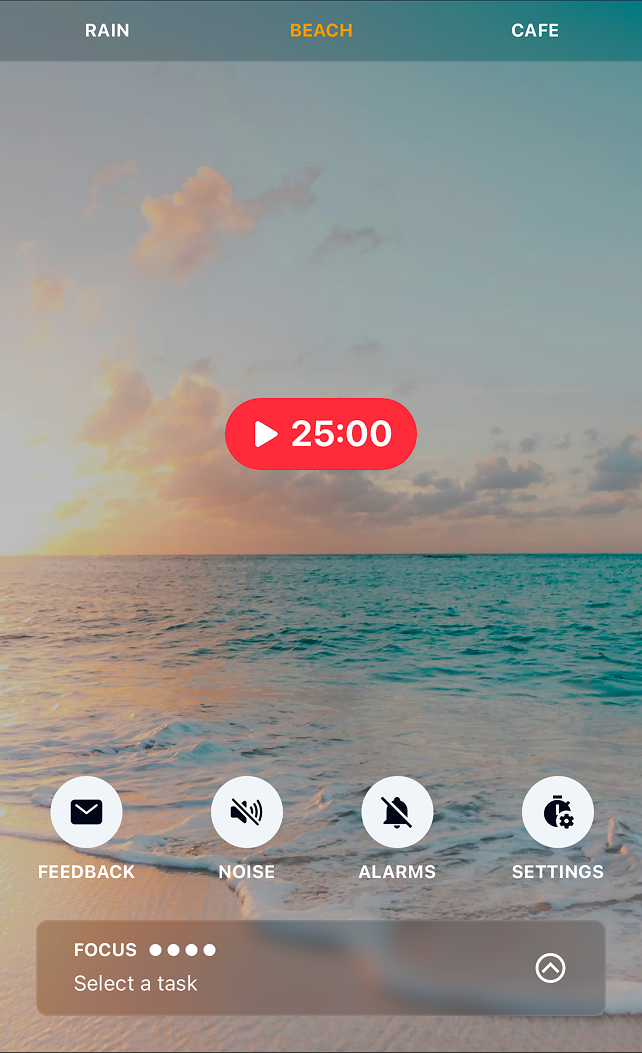
The Perfect Online Study Timer
ZenFocus is an aesthetic study timer that combines the proven pomodoro technique with ambient soundscapes. Whether you're studying for exams, reviewing notes, or learning new material, our study timer helps you stay focused and productive.
So how does it work? The pomodoro technique breaks up your work into focused 25-minute sessions (or any duration choose). Once the session is up? Take a short break and start again. This technique has been used by millions of people to maintain concentration and avoid burnout whilst studying.
ZenFocus isn't just a standard pomodoro timer - we have a range of ambient soundscapes to choose from to help block out background noise and reduce distractions such as Rain, Fireplace and even Airplane cabin noise.
Launch Study TimerWhy Use a Pomodoro Study Timer?
ZenFocus is built for students who want to study smarter, not harder.
Focused Study Sessions
Break your study time into manageable 25-minute pomodoro sessions (or whatever duration works best for you) for maximum information retention and focus.
Study-Friendly Sounds
Choose from 13 ambient soundscapes like rain, café, or white noise to enhance concentration while studying and block out background noise.
Aesthetic Study Timer
Designed for ease of use and to get out of your way while you focus on what matters.
Study Task Planner
Use our calendar based task planner to plan your studies and organise your week - it works seamlessly with the pomodoro timer.
Track Study Hours
Monitor your total study time and completed pomodoro sessions to stay accountable and motivated.
Distraction-Free Studying
Minimise distractions with a clean, focused interface designed for deep study work.
How to Use the Study Timer
Best Study Timer Durations
- 25 minutes – Classic pomodoro, ideal for most study sessions
- 50 minutes – Extended focus for deep study work
- 15 minutes – Quick review sessions or flashcard practice
- 90 minutes – Marathon study sessions for exam prep
Study Timer Tips
- Set a clear study goal for each pomodoro session
- Turn off phone notifications to maintain focus
- Take short breaks between each interval (you can customise the break length)
- Use ambient sounds that help you concentrate
- Track completed sessions to stay motivated
Popular Study Soundscapes
Choose the perfect ambient sound for your study session